MB1 Prime
Advanced DUC/DDC transceiver technology and a built-in Intel Core i7 PC running Windows 10.
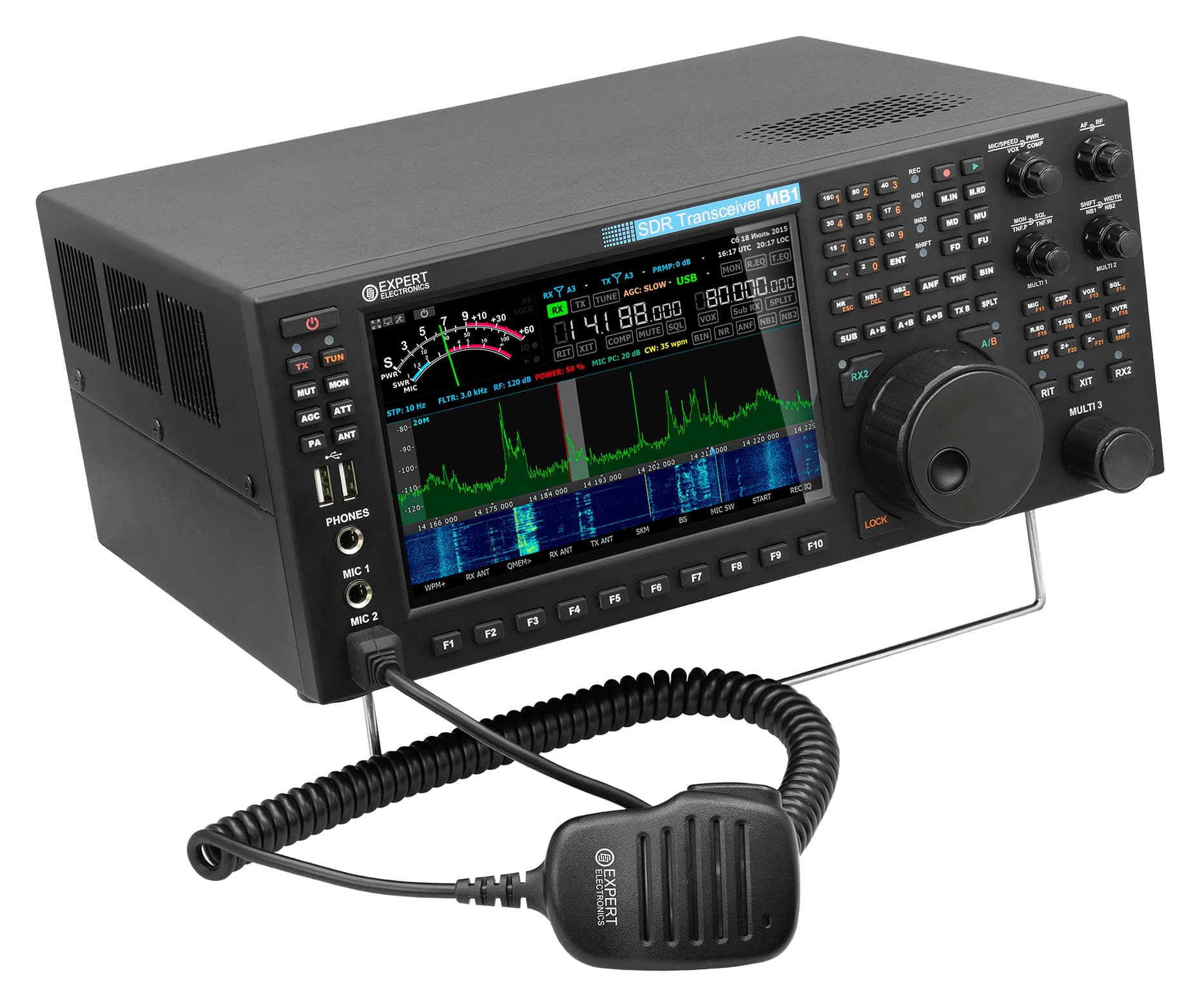
The MB1 Prime transceiver combines a classic design developed over decades with advanced DUC/DDC SDR technology for direct sampling and digital synthesis of radio signals, plus a fully featured PC with an Intel Core i7 processor and Windows 10. Everything the operator needs is housed in a single enclosure. Press the start button and you are on the air!
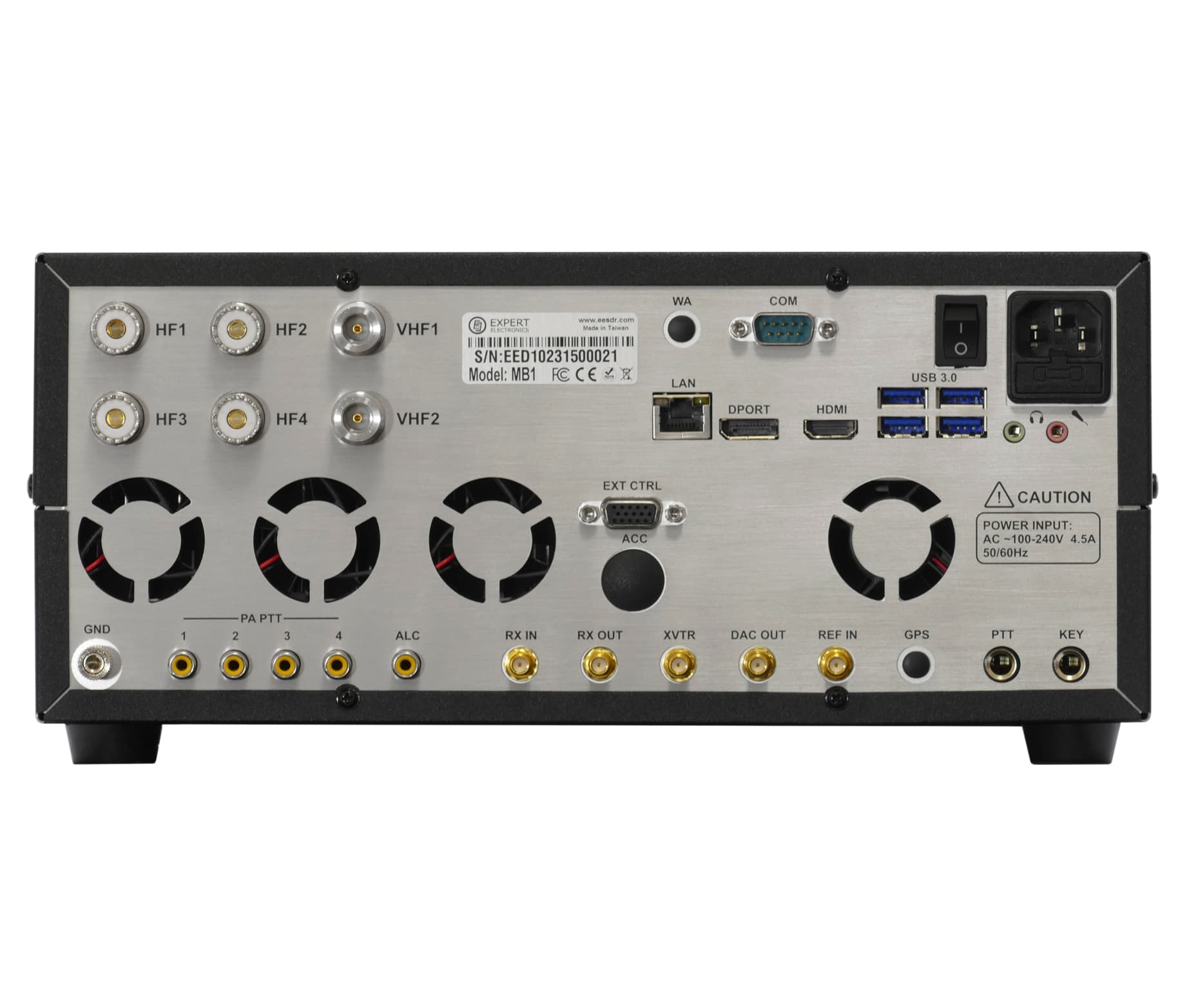
Many radio amateurs use a computer alongside a conventional transceiver, whether a laptop or a desktop PC. Connecting the two can involve additional USB interfaces or custom wiring. Transporting the configured setup to a contest station can be a headache, making a single-enclosure solution attractive. The MB1 SDR transceiver provides just that: connections can be made through virtual audio cables and COM ports, a second monitor, mouse and keyboard can be attached, and the radio can be controlled with the knobs and buttons on its front panel.MB1 Prime 2021, its main advantages in comparison to the previous MB1 Prime model:1. New PC hardware:Motherboard - GA-IMB370TN instead of MDH11HICPU - Intel® Core™ i7-9700 instead of Intel® Core™ i7-7700TRAM - 16 GB DDR4 instead of 16 GB DDR3SSD - Samsung 970 EVO 500 GB instead of generic SSD2. Improved TX IMD3 ~37 dB across all HF bands, with 100W output powerSoftwareA version of the interface adapted to the MB1's built-in 7-inch display has been developed. The software operates in receive and transmit modes and supports two independent receive channels with bandwidths up to 312 kHz. The DSP library developed by Expert Electronics has improved reception quality and software reliability.Features of the transceiverIndependent RX path based on DDC (Direct Down-Conversion) architectureIndependent TX path based on DUC (Direct Up-Conversion) architecture2 software RXs + SubRX for each of them (4 slices total) + independent wideband Bandscope up to 80 MHzTwo interface styles: desktop and the built-in MB1 displayRemote control operation, using it, you connect PTT and CW-key to the E-Coder panel. Microphone and E-Coder are connected to the remotely set up PCTCI interface for seamless connection with third-party software, the list of software with TCI supportProfessional TX processing module provides the most advanced tuning capability for voice operationHigh-quality IPS 7" capacitive touchscreen display with a 1280x800 resolutionSupports any software applicable for Windows 10 OSExtCtrl connector to control external devices with 8 powerful keys with open collectorCOM-port for connection of external devices, like PA, antenna switches etc.ALC connector for external power amplifiers*Has a special XVTR connector for VHF transverters** (SMA connector)4 separate programmable PTT outputs for external power amplifiersAn opportunity to use the transceiver as a signal generator via DAC OUT connector (SMA connector)An opportunity to use external filters in the middle of the RF path, using RX IN and RX OUT (SMA connector)Monitoring delay in CW mode is about 5-6 msInput for external 10 MHz reference oscillatorAn opportunity to use the transceiver in SO2V modeFull duplex or half duplex modes***4 HF (UHF (SO-239) connector) and 2 VHF (N-type connector) antenna connectorsInternal power-meter for HF and VHF bands and SWR-meter for HF bandRecord and play on air fragments (IQ files) with a bandwidth of up to 312 kHzInternal ATU (Automatic Tuner Unit)The embedded power supply unit* ** *** These functions are supported by the transceiver's hardware, but are not implemented in the ExpertSDR3 software.Software and integrationExpertSDR3 — the current native software for the device (Windows, Linux, macOS). Installers, release notes and the User Manual are on the ExpertSDR3 tab.TCI — an open interface for third-party applications: frequency, mode, PTT, CW macros, spots and panorama streaming. The list of software with TCI support: Software.RadioSync — a utility that synchronizes the transceiver with third-party software. Connection to CAT-capable applications has always been available, and now OmniRig support has been added — use whichever interface your application relies on. RadioSync setup is covered by a dedicated section of the User Manual.PC capabilities of the transceiverInstallation of digital modes softwareInstallation of HAM and Contest logsTwo CW Skimmers may be used on different bandsThe transceiver can connect to the LAN and the InternetUse of Internet applications (e.g. e-mail, Skype, ICQ, TV, etc.)Play video and audio filesWatch TV via USB-receiversAn opportunity to connect two external displays, keyboard, mouseAn opportunity to connect external speakers to the PHONES jack on the front panelApplication area Full-function radio amateur transceiverMobile contest-stationRemote receipt point for the contests and other applicationsSpectrum analyzer with the bandwidth up to 80MHzWork with the external programs of digital connection types, CW Skimmer, etc.